

Airtable is a relational database with a spreadsheet-style interface, used by teams to track everything from inventory and content calendars to vendor lists and project pipelines. Connecting Airtable to Parabola lets ops, finance, and program teams pull records out of Airtable bases into automated flows, blend them with data from other systems, and create, update, or delete records back in Airtable so the bases your team already runs stay current.Documentation Index
Fetch the complete documentation index at: https://parabola.io/docs/llms.txt
Use this file to discover all available pages before exploring further.
Pull from Airtable
The Pull from Airtable step reads records from your Airtable base, table, and view into Parabola. Use it to bring an Airtable-managed dataset (a SKU list, a content calendar, a vendor table) into a flow that joins with data from other systems.Send to Airtable
The Send to Airtable step writes back to Airtable. You can create new records, update existing records by record ID, or delete records by record ID. Map each Airtable field to a column in your Parabola data.How to authenticate
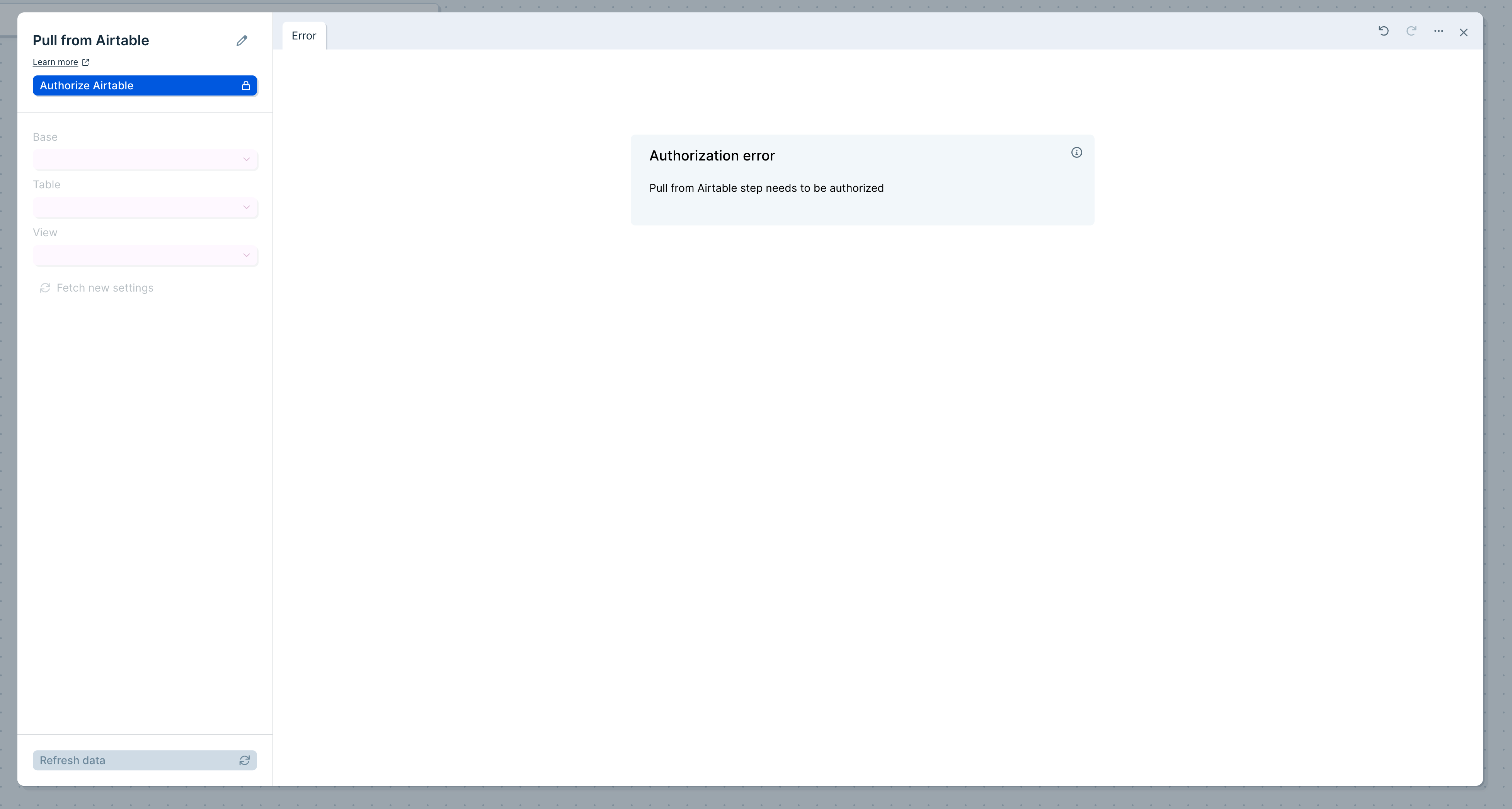
On August 1, 2023, Airtable stopped allowing users to generate new API keys. Older Airtable steps that authenticated with an API key before July 27, 2023 stopped working on February 1, 2024. To migrate, open the step, click Choose Accounts > Add new account, and authenticate with OAuth. Once one step is migrated, other Airtable steps in your flow can use the same connection.
Configure your settings (Pull from Airtable)
Once connected, pick the Base, Table, and View you want to pull from. In the example below, the step pulls from the Shopify Orders base, the Orders table, and the Grid view.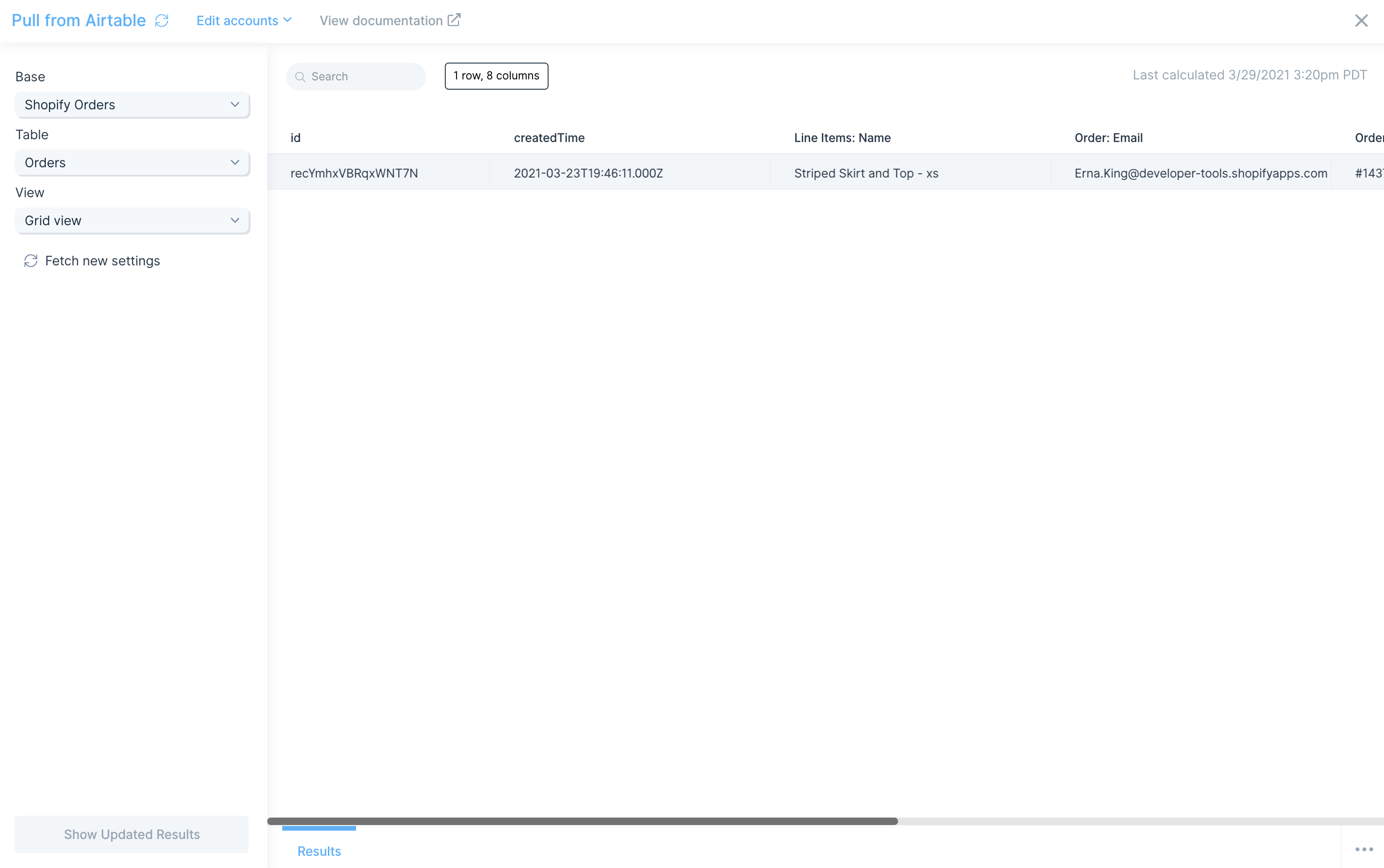
Linked records
If your base uses linked records to connect tables, those values come into Parabola as record IDs, not as the linked field values. To get the underlying data, add a second Pull from Airtable step for the related table and use a Combine tables step to join on record ID.Good to know
- If a column has no values, it won’t appear in the output. At least one row needs a value in that column.
- Airtable returns durations formatted as h:mm in milliseconds. Airtable parses incoming durations using minutes — for example, Airtable sends
0:01as60.
Configure your settings (Send to Airtable)
Authorize the step the same way you did for Pull from Airtable.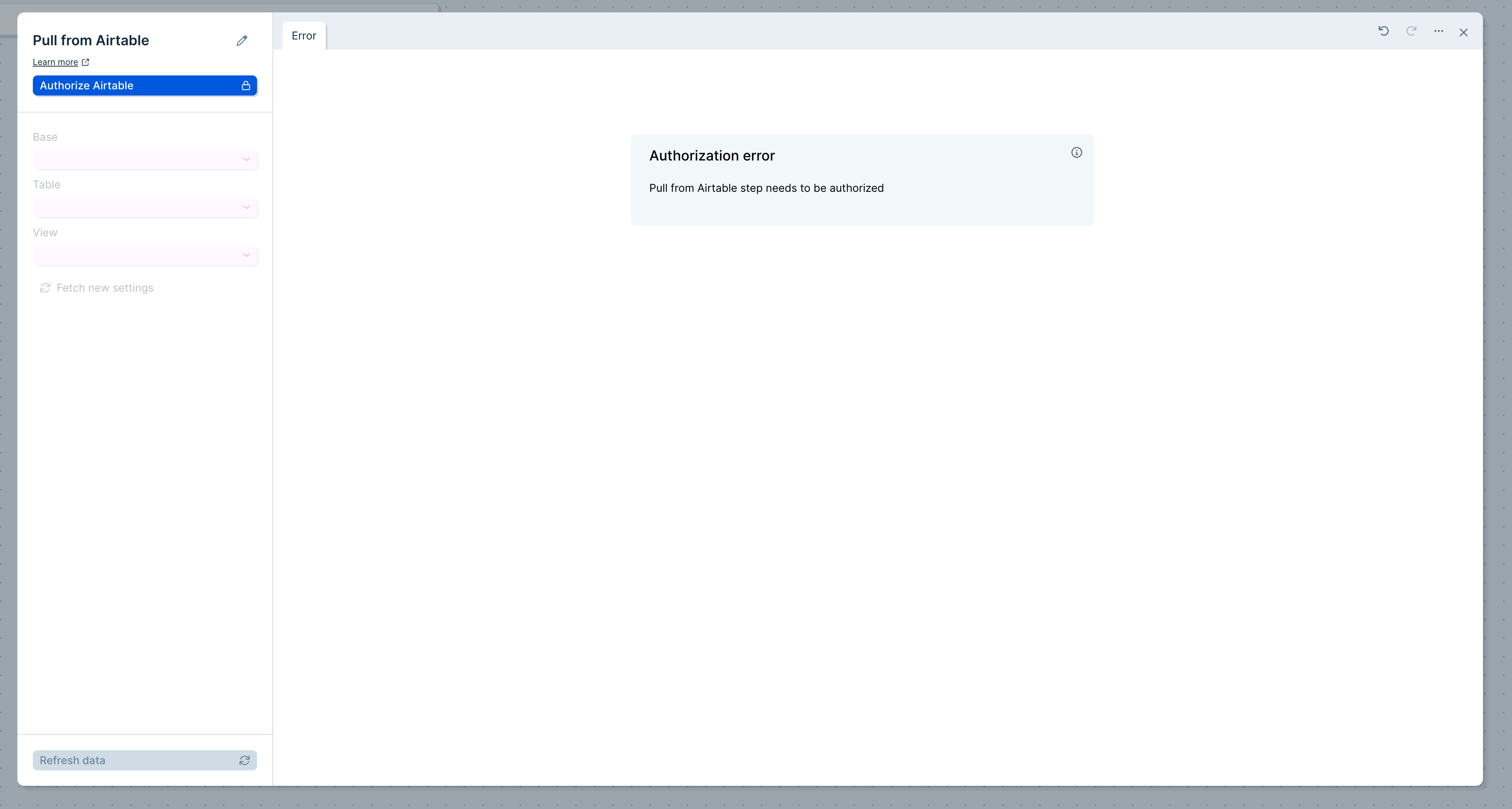
Creating records
In the example below, the step adds order #2001 to the Orders table in the Shopify Orders base.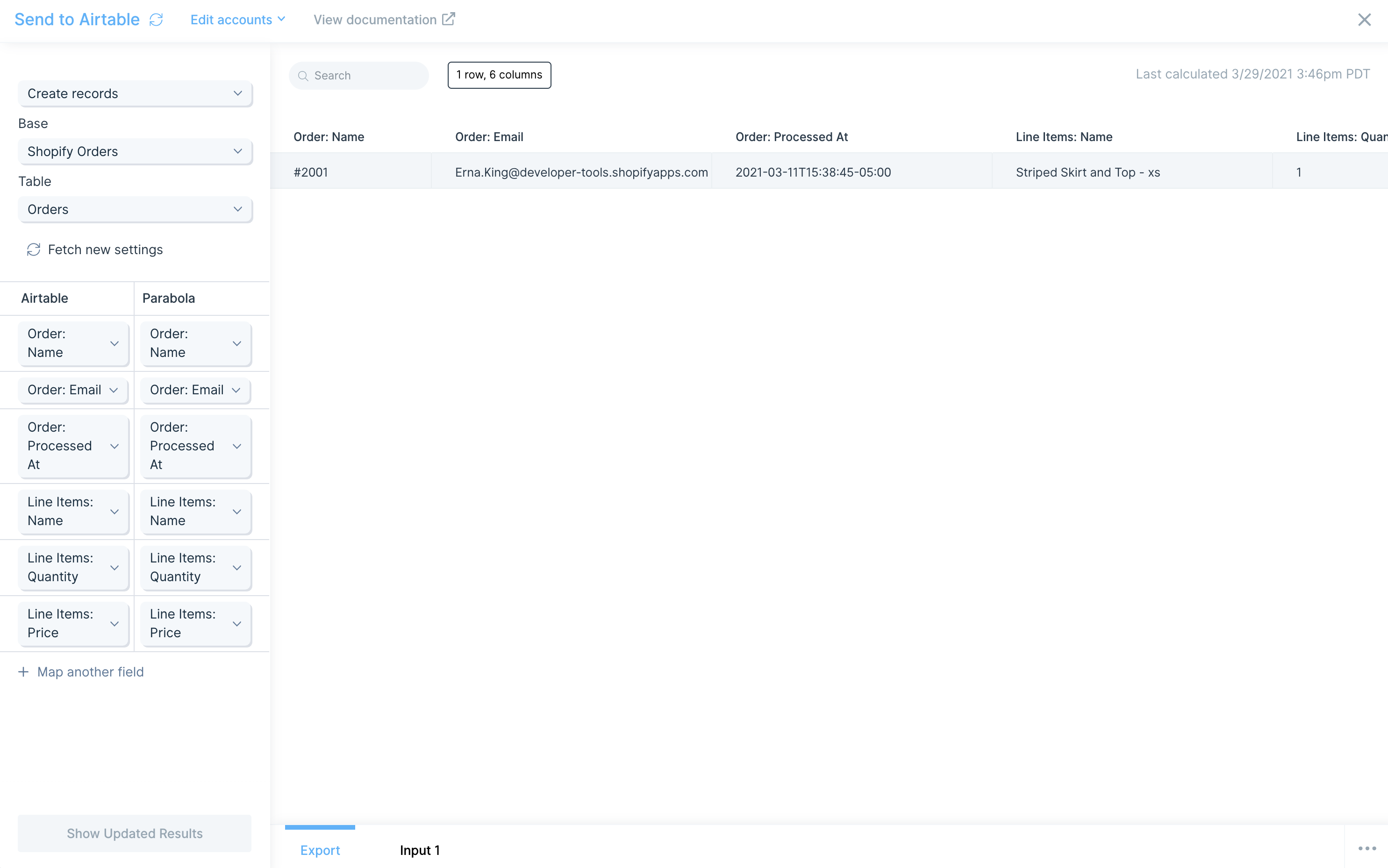
Airtable fields appear on the left. On the right, map the Parabola column whose values should populate each field.
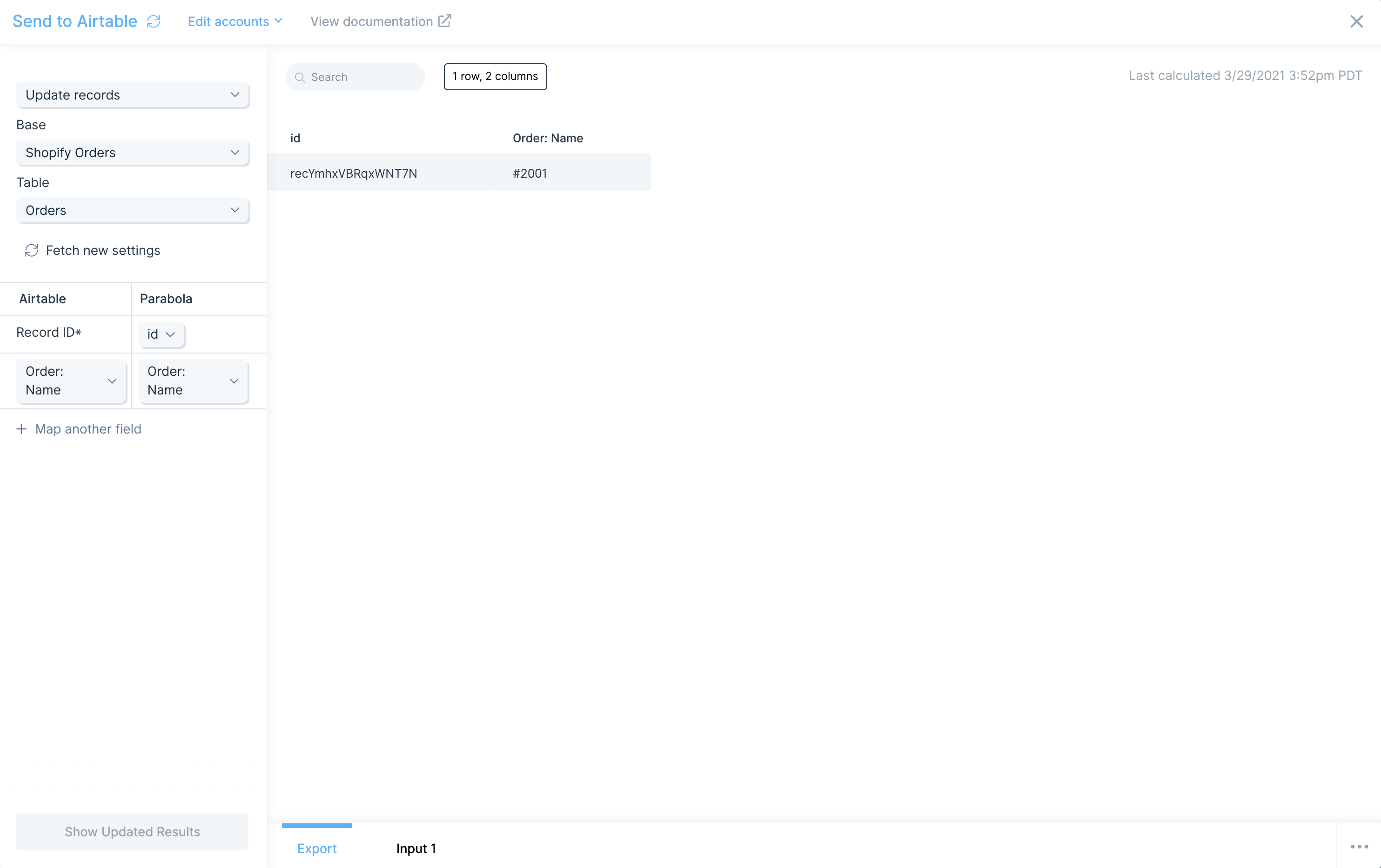
Updating records
To update a specific record, map the Record ID* field to the Parabola column that contains the Airtable record ID. Then choose the fields you want to update. In the example below, the step updates the Order: Name of recordrecYmhxVBRqxWNT7N.
Deleting records
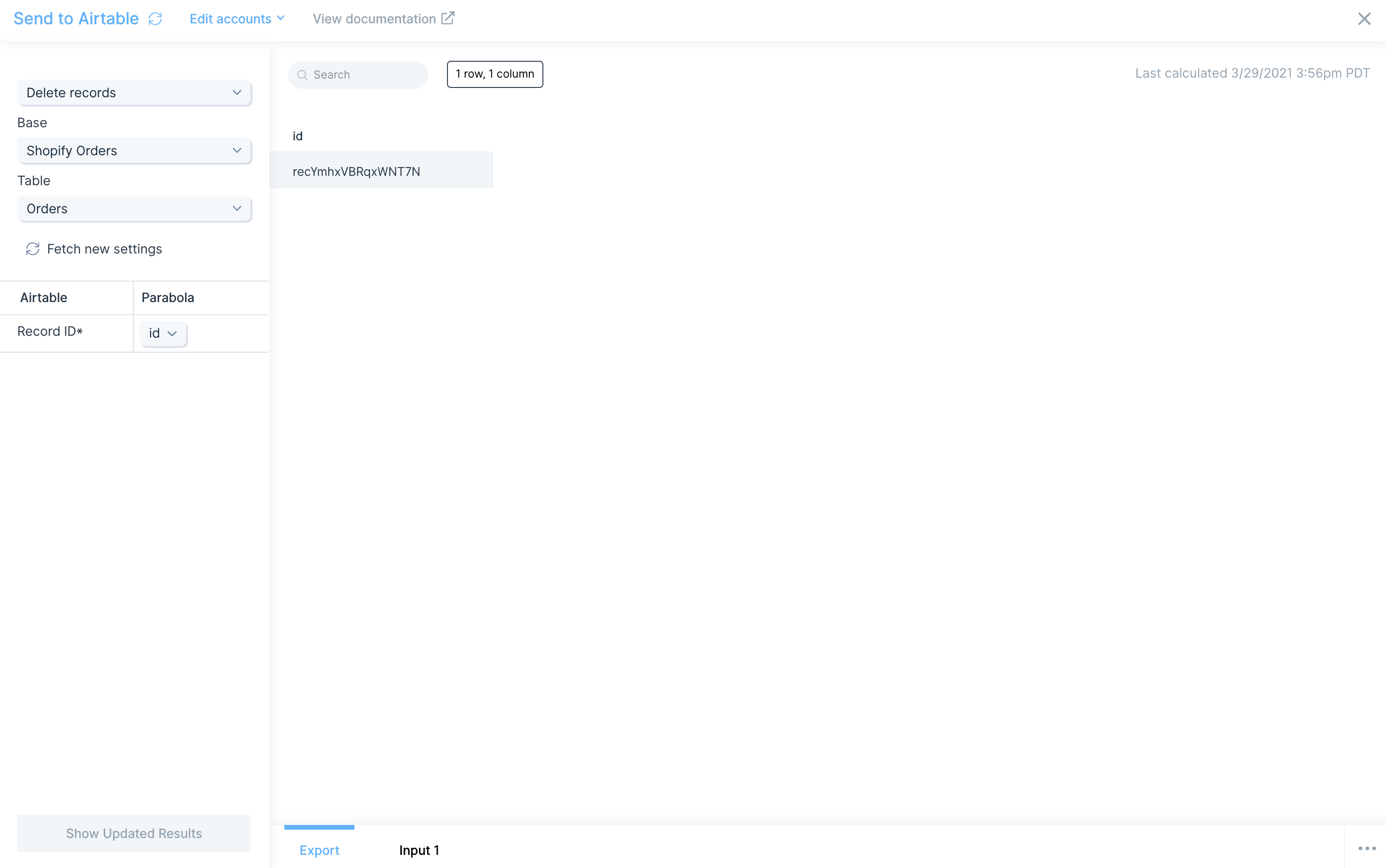
To delete a record, map the Record ID* field to the Parabola column containing the record ID. In the example below, the step deletes recordrecYmhxVBRqxWNT7N.
Available data
The Airtable steps work with record-level data:- Records from a base, table, and view. Each Airtable record becomes a row in Parabola, with one column per Airtable field.
- All Airtable field types. Single line text, long text, number, currency, date, single select, multiple select, checkbox, attachment, formula, rollup, lookup, linked record, and more.
- Filtered views. Use Airtable views to pre-filter or sort the data Parabola sees, instead of doing all of that downstream.
- Linked records. Returned as record IDs. Pull the related table separately and join on record ID for the linked values.
Common use cases
- Sync e-commerce data into an Airtable ops base: Pull orders from Shopify, Amazon Seller Central, or Squarespace and create or update records in an Airtable orders base your CX team works out of.
- Manage SKU master data in Airtable: Use Airtable as the source of truth for SKUs and product attributes, pull the master list, and push enriched data into NetSuite, a 3PL like ShipBob, or your warehouse.
- Automate vendor tracking: Pull vendor records from Airtable, combine with shipment data from DHL, FedEx, or UPS, and write performance metrics back into the vendor table.
- Refresh content and marketing calendars: Sync campaign performance from Klaviyo, Mailchimp, or Facebook Ads into the Airtable calendar marketing already runs from.
- Bridge Airtable and your warehouse: Pull Airtable records and load them into Snowflake, BigQuery, or Redshift for analytics teams without Airtable seats.
- Trigger ops alerts on Airtable changes: Pull Airtable records on a schedule, detect changes (new rows, status flips), and send a Slack message when something needs attention.
Tips for using Parabola with Airtable
- Use views to pre-filter. Filtering in Airtable views is faster than pulling everything and filtering in Parabola, especially for bases with thousands of records.
- Plan around linked records. Linked field values come in as record IDs. Pull related tables separately and combine in Parabola.
- Convert percentages before sending. If your data has
0.51%, convert to0.0051and adjust precision in Airtable. Airtable may otherwise interpret a raw percentage as 0.01%. - Single select and multi-select are forgiving. If you send a value that doesn’t yet exist as a select option, Airtable creates it automatically. Useful for new statuses, new categories.
- Set checkboxes with
trueorfalse. Sendingtruetoggles the checkbox on;falseturns it off. - Map collaborators by ID or email. When updating a collaborator field, pass an
idoremail. Passing anamereturns a “Cannot parse value” error. - Watch duration formatting. A duration of
60milliseconds becomes1:00in Airtable’sh:mmformat. Plan unit conversions before sending. - Match cadence to use case. Hourly for active ops bases, daily for marketing and finance trackers, weekly for archive snapshots.
FAQ
Why won’t my old API key work anymore?
Airtable stopped issuing new API keys on August 1, 2023, and shut off existing ones on February 1, 2024. Re-authenticate the step with OAuth: open the step, click Choose Accounts > Add new account, and sign in. Once one step is migrated, others in the flow can use the same connection.Why is a column missing from my pull?
If a column has no values in any row, it won’t appear in the output. At least one row needs a value for the column to come through.How do I get linked record values, not just IDs?
Pull the related table with a second Pull from Airtable step, then use Combine tables to join the two on record ID. The result has both tables’ fields side by side.Can I update or delete records without the Airtable record ID?
No. Airtable’s API uses record ID as the key for updates and deletes. Pull the records first to get IDs, transform, and pass the ID through to the Send to Airtable step.Does Parabola support Airtable webhooks?
The native step is API-pull only. For event-driven flows, set up an Airtable automation to call Parabola’s webhook trigger when a record changes.With Airtable and Parabola connected, the bases your team already runs as a source of truth stay synced with e-commerce, ERP, and finance systems on a schedule, with new and updated records flowing in automatically.