

Documentation Index
Fetch the complete documentation index at: https://parabola.io/docs/llms.txt
Use this file to discover all available pages before exploring further.
Input/Output
In the example below, our input data has duplicate values in the “Order ID” column, plus other columns specifying “Variant Option” and “Variant Value”.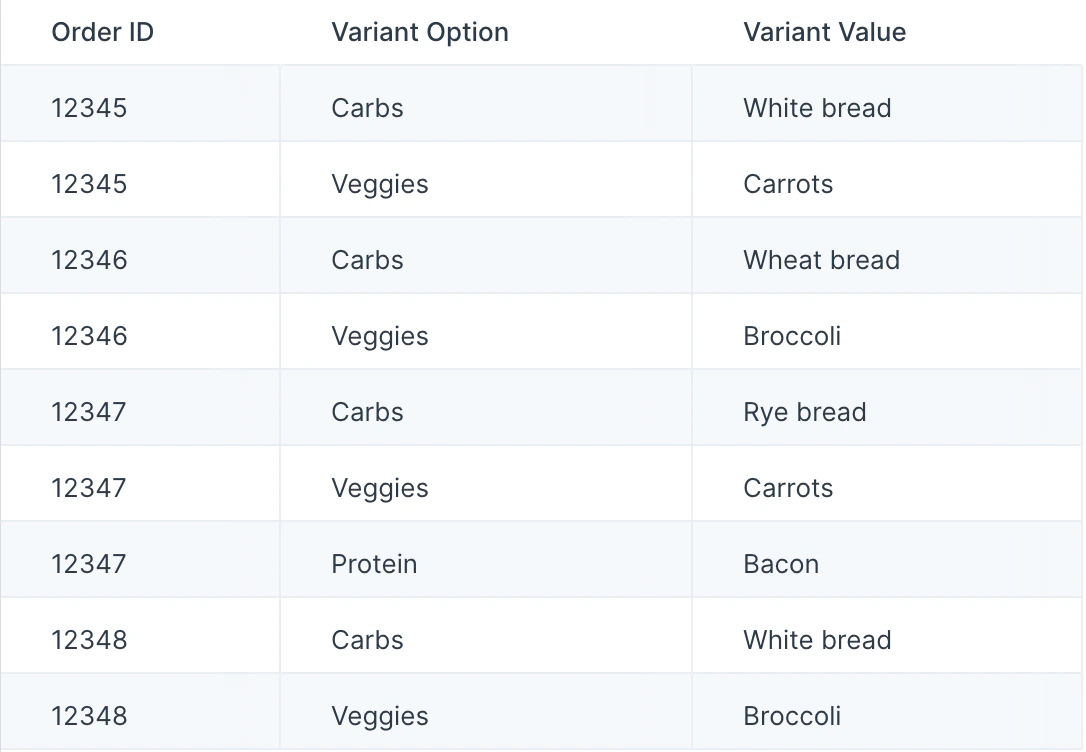
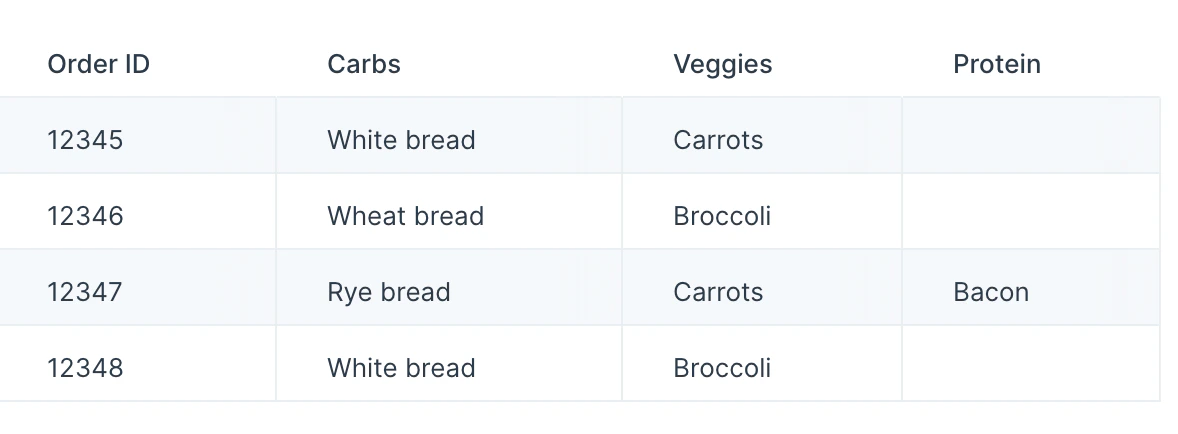
Custom settings
Once you connect data to the Pivot columns step, you’ll select a Column to pivot into new column headers, and you’ll select a Column with values to fill in In the example below, we selected the “Variant Options” column to be the pivot column, and we selected “Variant Value” column to be the value column. If no “Variant Value” exists for the corresponding “Variant Options” column header, the cell is left blank.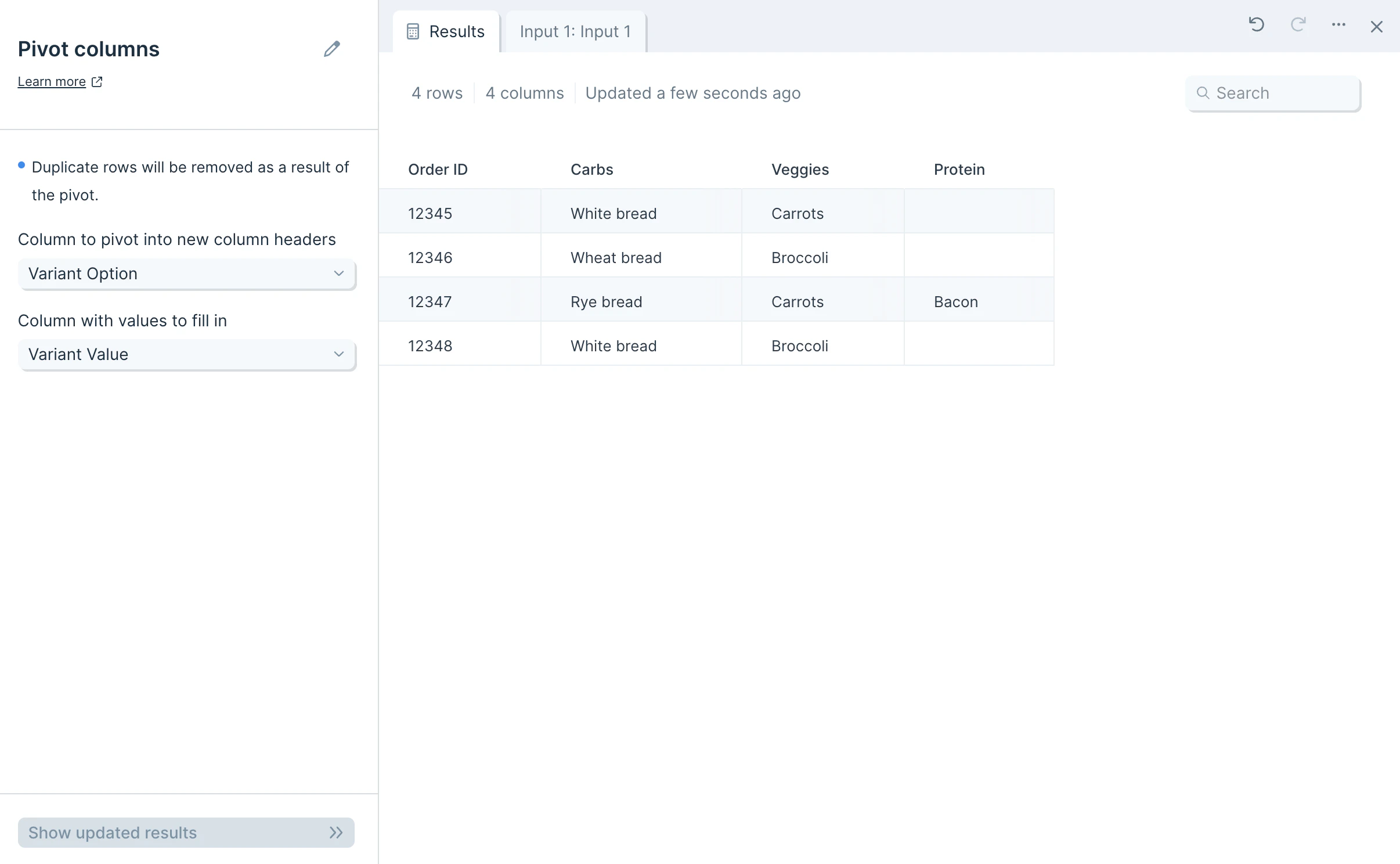
Frequently asked questions
What if multiple rows share the same pivot column value? When several input rows have the same value in the column being pivoted, the Pivot columns step keeps the last matching value seen. To consolidate values before pivoting, use Merge duplicate or Sum by group first. How do I reverse a pivot? Use the Unpivot columns step to collapse pivoted columns back into a longer format with one row per value. Why are some cells blank in the output? A blank cell means the original input had no value for that combination of identifier and pivoted column header. This is expected when not every entity has every category of data.Related steps
- Unpivot columns — reverse a pivot by collapsing columns back into rows.
- Merge duplicate — combine duplicate identifier rows before pivoting.
- Sum by group — aggregate numeric values by category.
- Flip table — swap rows and columns when reshaping data.
- Combine tables — join the pivoted output to another dataset.