

The Pull from file queue step receives a file URL (CSV, PDF, or Excel) along with associated metadata, and triggers the flow to run. It’s the right pattern when you need to process many files in sequence — fanning out from another flow, or being driven by an external system. Available on the Advanced plan.Documentation Index
Fetch the complete documentation index at: https://parabola.io/docs/llms.txt
Use this file to discover all available pages before exploring further.
Sending a file to your Parabola flow
The file queue processes files that are accessible by URL. To send a file in, make a POST to the file queue endpoint shown in the step’s settings modal: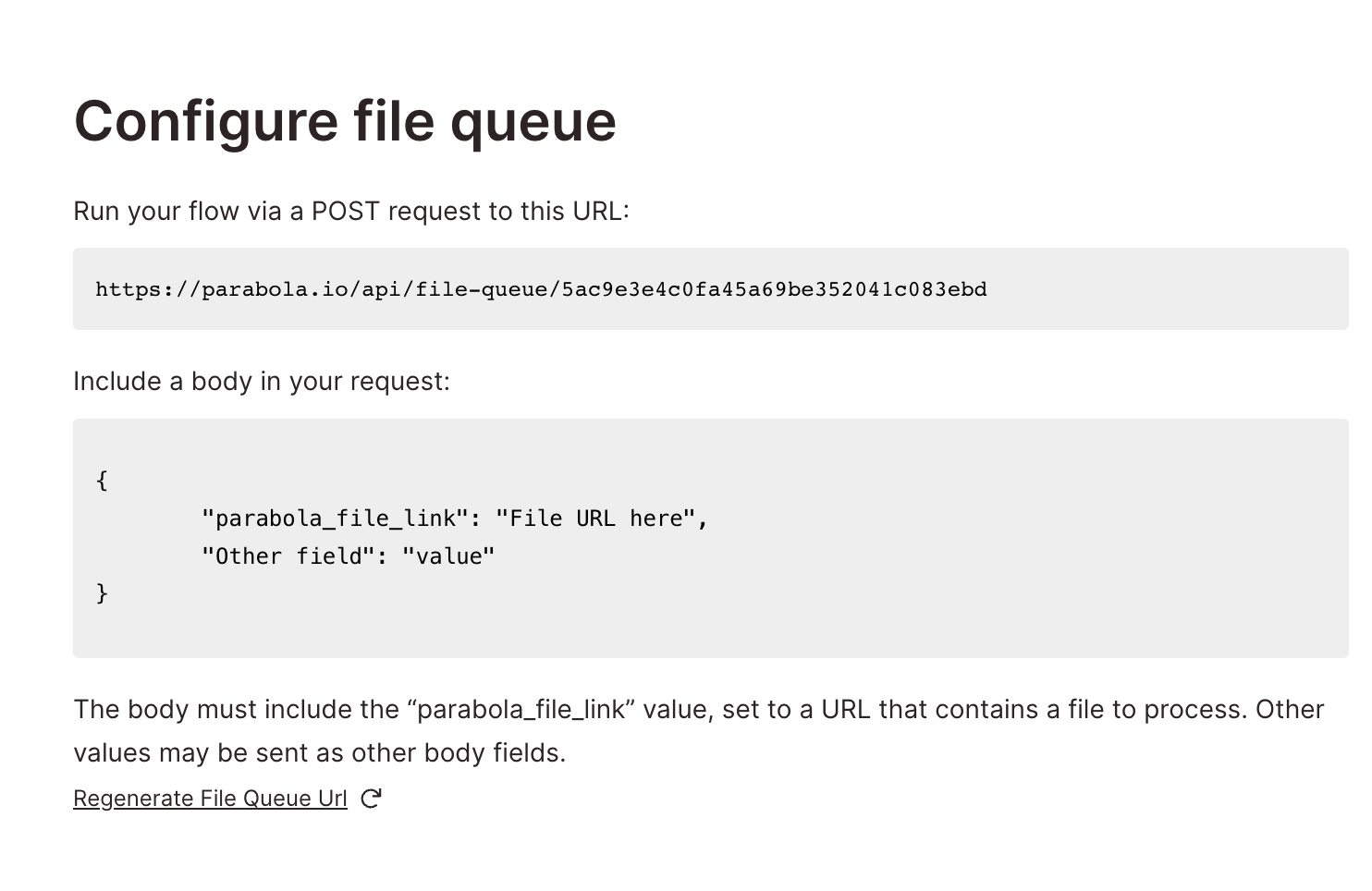
Related steps
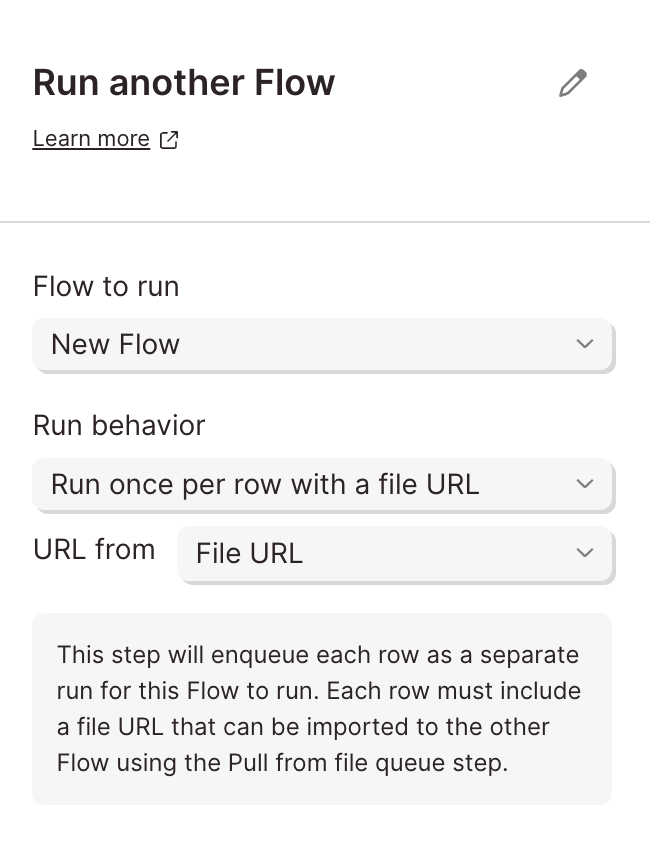
- Run another Parabola flow — the upstream step that pushes file URLs into this queue
- Extract from PDF — to define how PDFs sent to the queue should be parsed
- Extract from email — an alternative trigger that uses email instead of an API call
- Pull from webhook — for non-file event triggers