

Documentation Index
Fetch the complete documentation index at: https://parabola.io/docs/llms.txt
Use this file to discover all available pages before exploring further.
Input/output
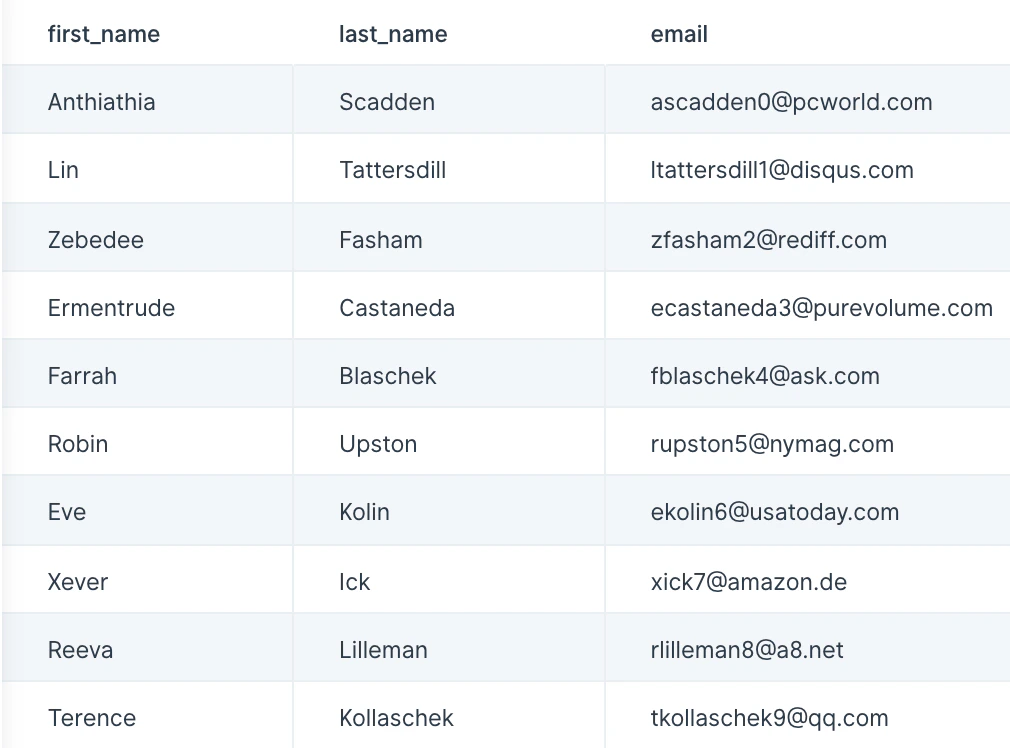
Our input data is customer information that displays first and last names in all uppercase. We can use the Change text casing step to turn our first and last names into title case.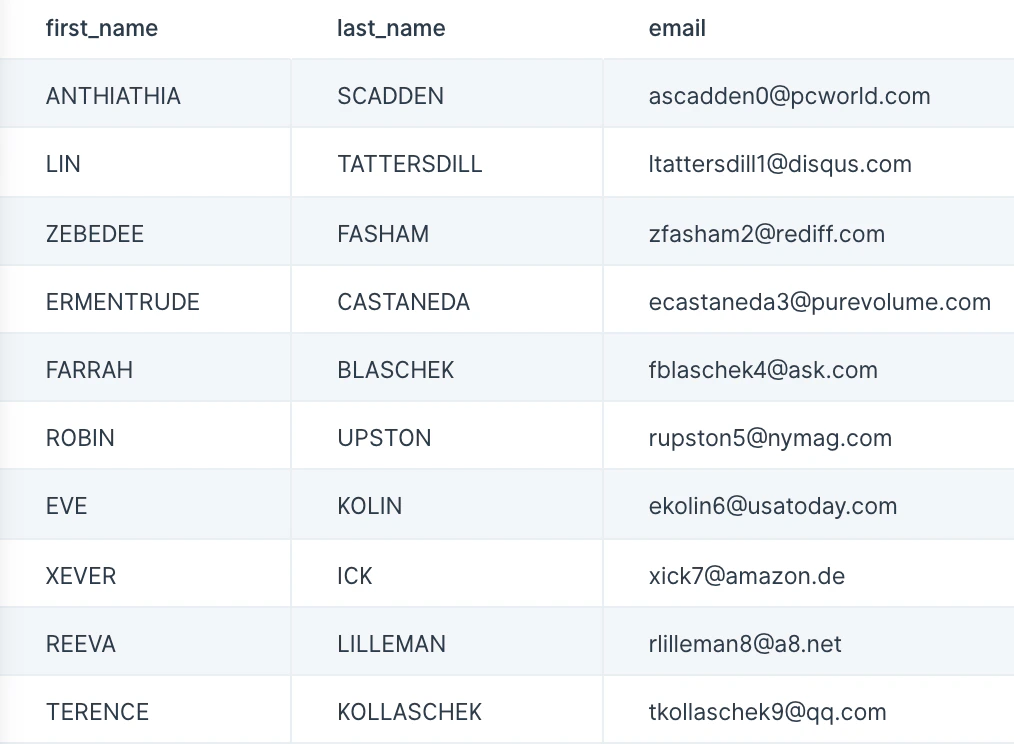
Custom settings
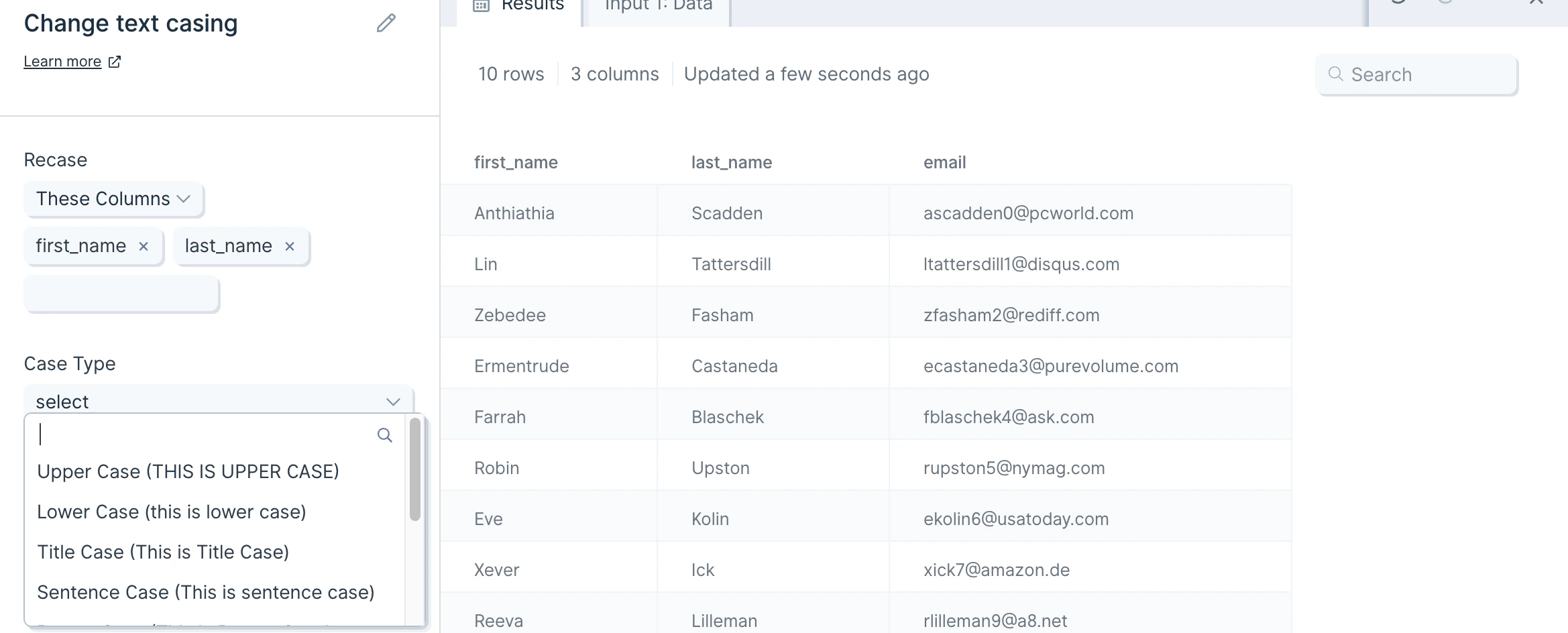
The first thing to do when you connect data to the Change text casing step is to select the column(s) you’d like to ‘Recase’. You can select as many columns as you need. Then, you will select the desired ‘Case Type;. The available case types are:- Upper Case (THIS IS UPPER CASE)
- Lower Case (this is lower case)
- Title Case (This is Title Case)
- Sentence Case (This is sentence case)
- Proper Case (This Is Proper Case)
- Snake Case (this_is_snake_case)
- Camel Case (thisIsCamelCase)
- Train Case (This-Is-Train-Case)
- Kebab Case (this-is-kebab-case)
Helpful tips
- This step can only change one case type at a time. If you’d like to change different columns to different case types, you can do this by chaining multiple Change text casing steps together.